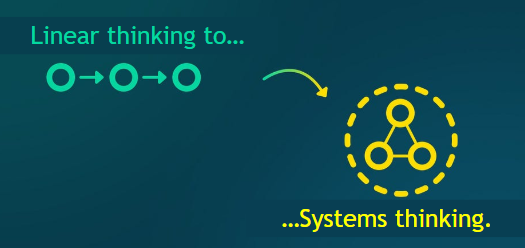
- This unit focuses on developing thinking strategies essential to tackling complex sustainability challenges. Learners will explore design thinking, systems thinking, circularity and futures thinking as tools to create innovative and regenerative solutions.
- Participants will explore sustainable business models, resource consumption, biodiversity, and the role of sustainable communities in a green economy.
Learning Outcomes
Knowledge
- Advanced knowledge of the core principles of design thinking, systems thinking, circular economy, and futures literacy, and their application to sustainability transitions.
- Advanced knowledge of the 10Rs (Refuse, Rethink, Reduce, Reuse, Repair, Refurbish, Remanufacture, Repurpose, Recycle, Recover) in circular strategies.
- Advanced knowledge of the shift from paper-based processes to digital, sustainable alternatives.
- Advanced knowledge of the ethical, social, and environmental considerations underpinning the use of future scenarios and circular design in complex systems.
- Advanced knowledge of digital tools and methodologies that support collaborative problem-solving in sustainability challenges.
Skills
- Master design thinking to co-create solutions to real-world sustainability problems
- Analyse business value chains using systems thinking tools
- Develop strategies aligned with the 10Rs to reduce waste and improve circularity
- Prototype circular economy interventions using iterative, user-centred approaches
- Use collaborative digital platforms to facilitate co-design processes across distributed teams
- Assess the interconnections between social, environmental, and economic systems when proposing sustainable innovations
Autonomy & Responsibility
- Demonstrate creative and critical thinking when dealing with uncertain sustainability contexts
- Manage the implementation of forward-looking, sustainable ideas in specific domains
- Act as a facilitator of innovative thinking within sustainability-focused teams or projects
- Lead interdisciplinary teams to co-create and evaluate long-term sustainable solutions
- Assume responsibility for embedding systemic thinking in organisational change initiatives
- Make autonomous, informed decisions under ambiguity using foresight tools and speculative design
Jargon Buster

Systems Thinking: Recognizing interconnected systems and using holistic perspectives to make better decisions.
Design Thinking: A human-centered, iterative approach to problem-solving focused on empathy, ideation, prototyping, and testing.
Futures Literacy: The capability to anticipate and use multiple future scenarios to guide present decisions.
Circular Economy: A production and consumption model that emphasizes reuse, repair, recycling, and extending product life cycles.
10 R’s of Circularity: Refuse, Reduce, Reuse, Repair, Refurbish, Remanufacture, Repurpose, Recycle, Recover, Regenerate.
Sustainable Food Systems: Food systems designed to balance environmental, social, and economic sustainability across the value chain.
Dematerialisation: Transition from paper-based processes to digital forms to reduce resource use and support sustainability.
Feedback Loops: Cyclical cause-and-effect relationships within systems that influence outcomes.
Leverage Points: Strategic areas in a system where small changes can create significant impact.
Wicked Problems: Complex challenges with no clear solution due to interconnected social, economic, and environmental factors.